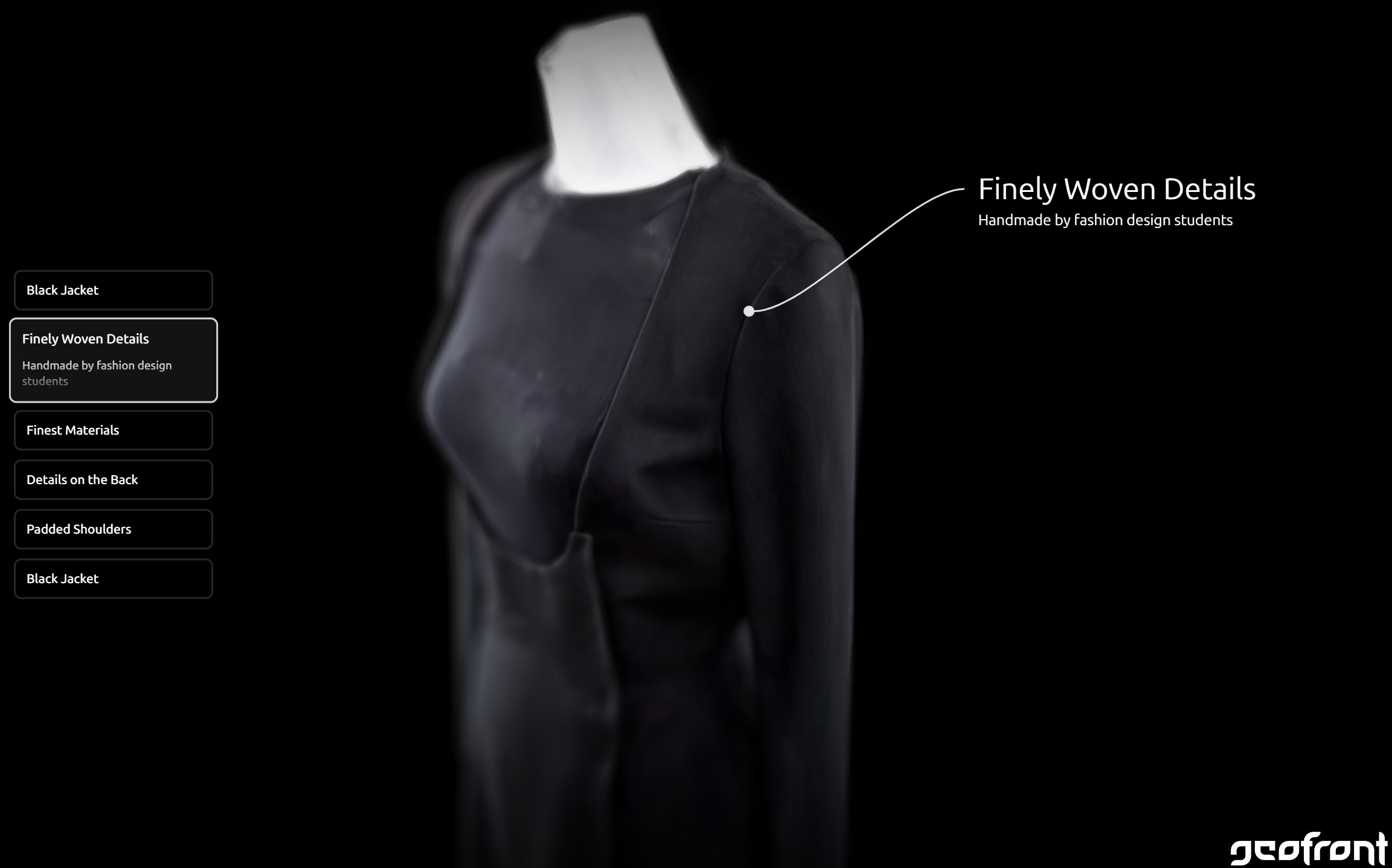
Gaussian Splatting Guide for High-Quality Models
Version 1.0 • Written by humans at core11
Gaussian Splatting is one of the most promising methods for creating a digital version (“digital twin”) of a real-world scene or object. While the workflow is progressively simplified with new tools and services, creating high-quality models still requires know-how and attention to detail. This guide describes a workflow to create high-quality models using free tools.
Prerequisites
The scene should be as static as possible. There should be no moving objects, no changing light, no moving people or cars in the background, and no wind moving leaves, fabric, flowers, or other fine structures.
This matters because movement and lighting changes create inconsistent image evidence. That inconsistency usually shows up during camera alignment, which is a fundamental part of the reconstruction process.
Image Capture
Creating a high-quality capture depends on blur-free, low-noise, low-distortion images from many angles. Keep a high overlap between neighboring images, and keep focal length, exposure, and white balance constant. Zooming between images should be avoided.
Capturing objects: Move around the object with the camera pointing at the object. Depending on the size of the object, capture at least three height bands: high, mid, and low angles.
Capturing rooms or scenes: Capture several passes. Include the whole room and additional passes over important details. Avoid empty, featureless walls and make sure the image set contains enough depth cues such as corners, windows, furniture, texture, or other geometry.
Optimal Equipment
A modern mirrorless or DSLR camera with a 24 mm full-frame lens, or equivalent, is a strong baseline. Longer lenses can be used as well. If high ISO noise is expected, capture RAW and denoise during preprocessing.
Suitable Equipment
A smartphone or high-quality action camera can work if there is enough light. Disable auto-exposure where possible so the image set remains consistent from frame to frame.
Before reconstruction, remove all blurry shots from the dataset. A few bad frames can create more damage than a smaller but clean image set.
Reconstruction
The product of the reconstruction step is the final Gaussian Splatting model. This step has two major tasks: establishing the relationship between the individual images, usually called camera alignment, and creating the Gaussian Splatting model itself.
Camera Alignment
To establish the relationship between images, this workflow uses RealityScan and exports COLMAP-compatible data for the splat training step.
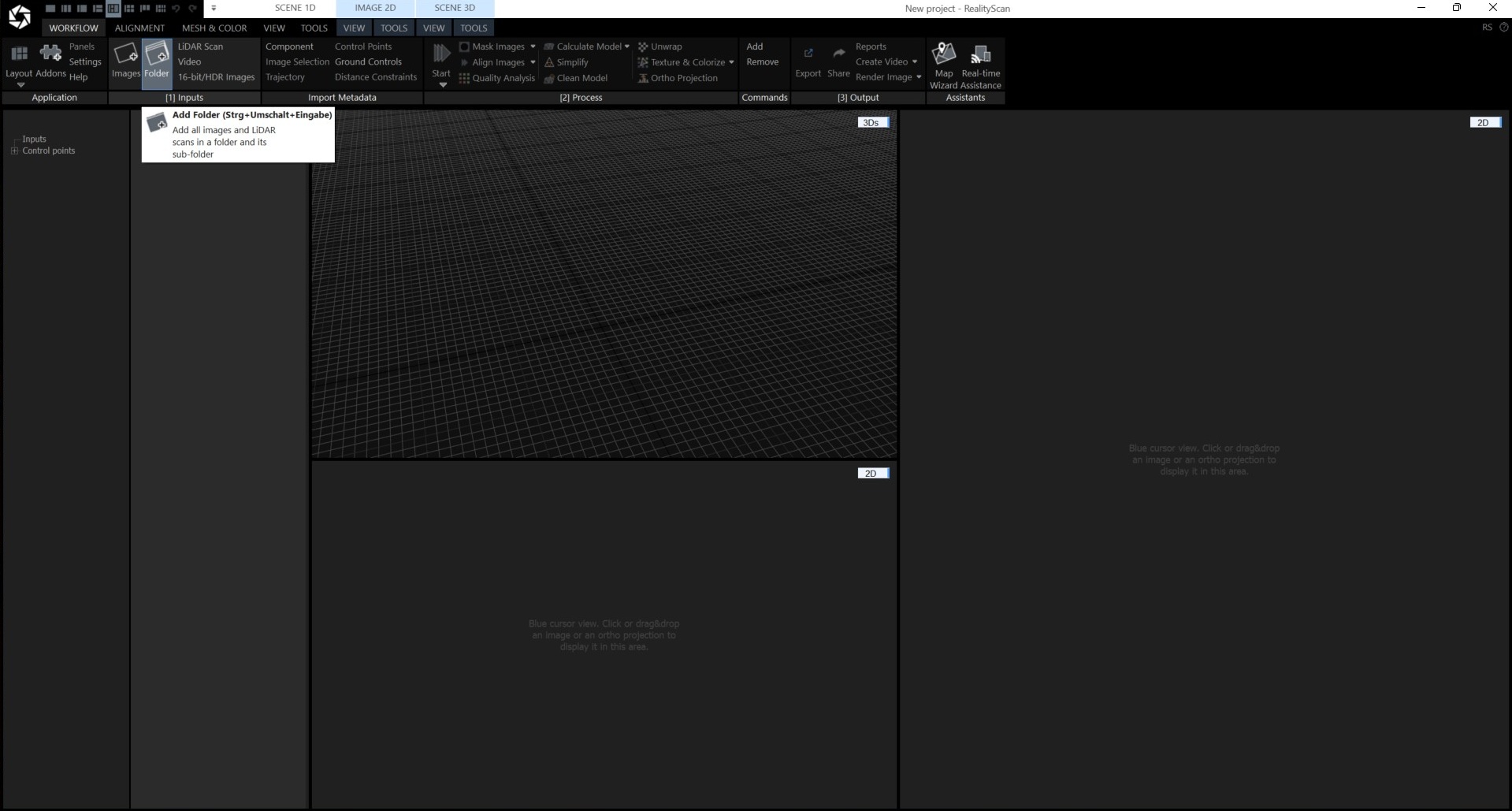
1Add the folder containing the captured images.
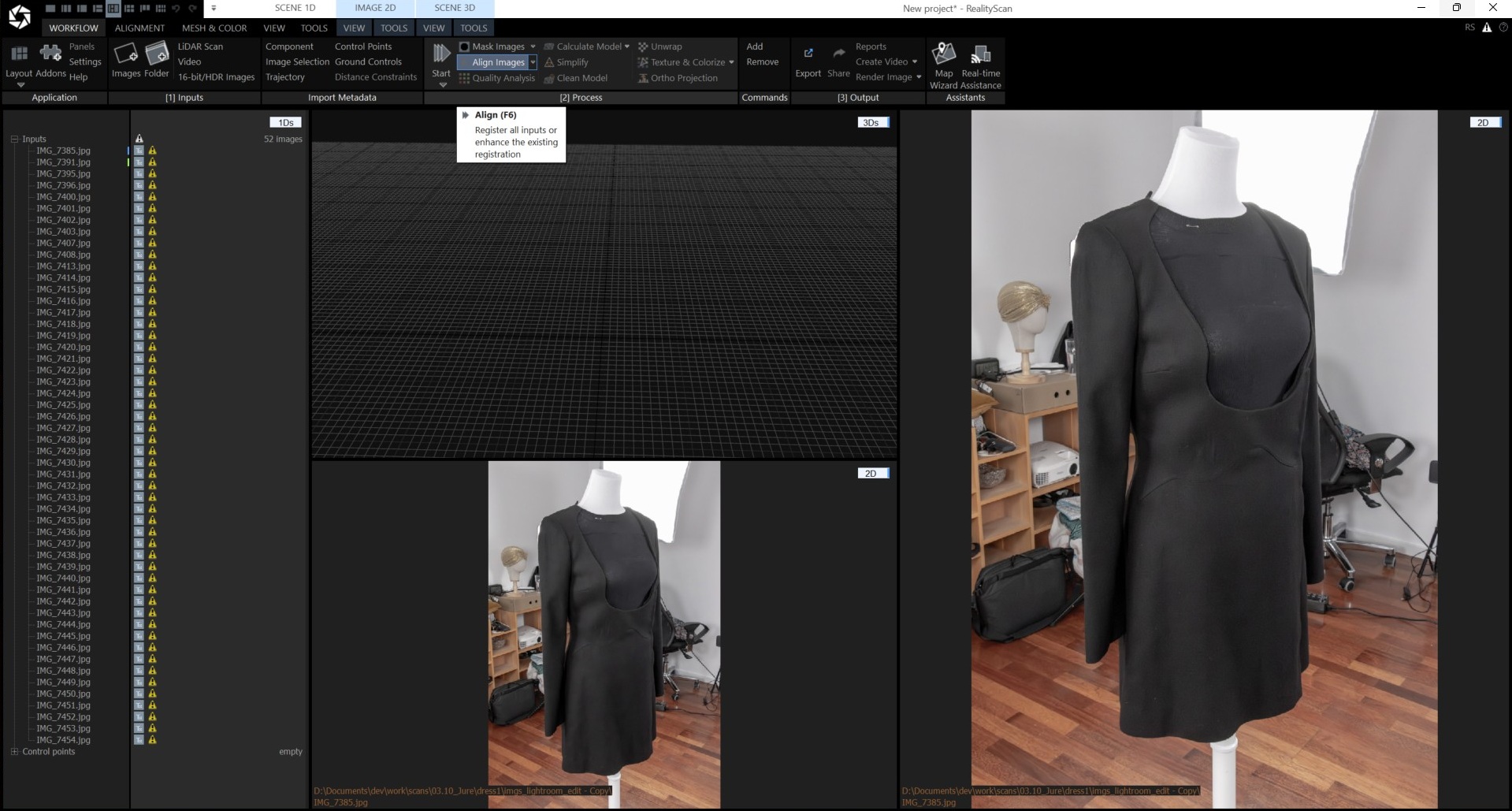
2Run image alignment. High overlap between neighboring images is essential for accurate camera positions. The result also includes a sparse point cloud used as the initial scene structure later in LichtFeld Studio.
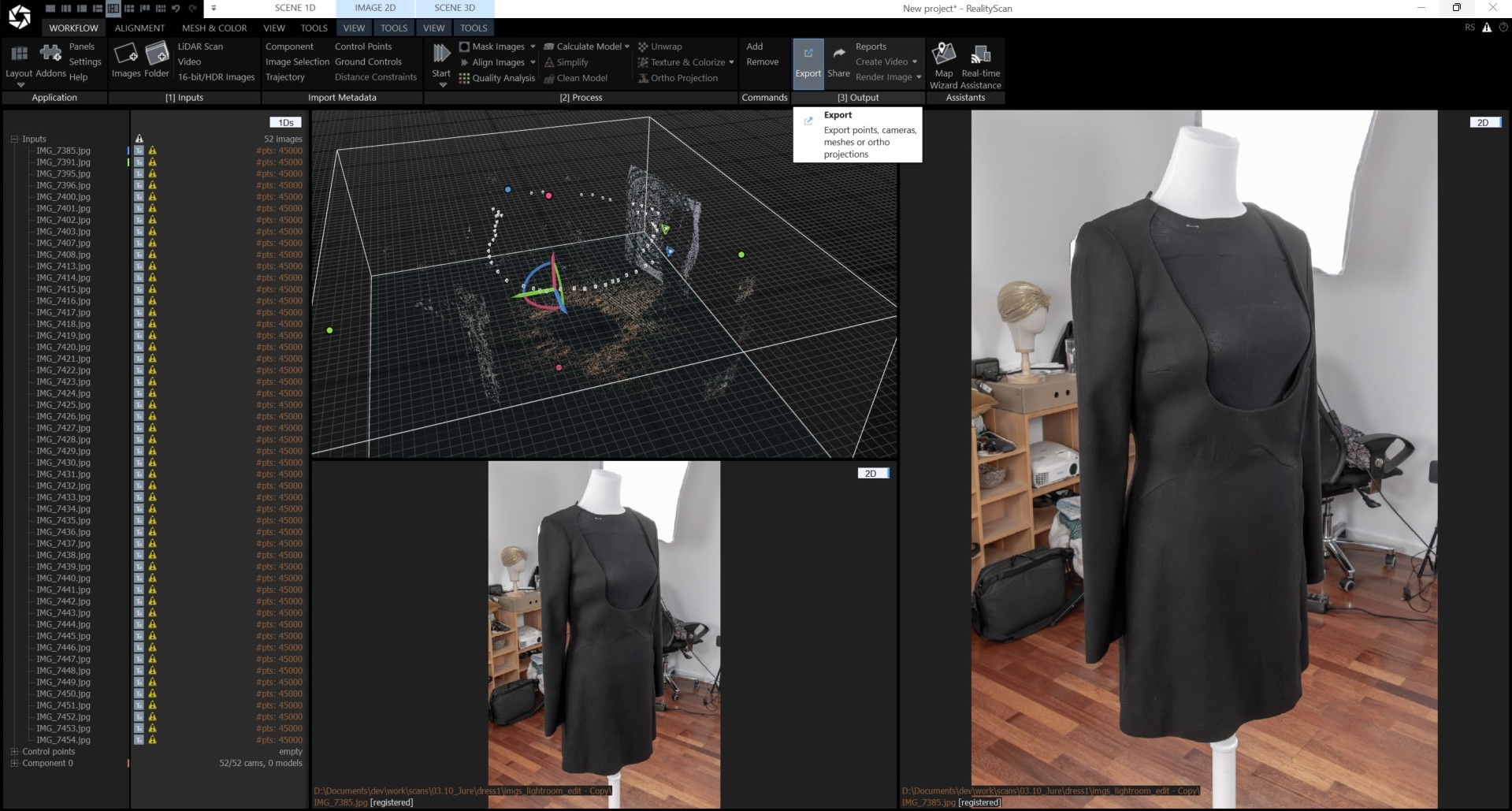
3Export the alignment result.
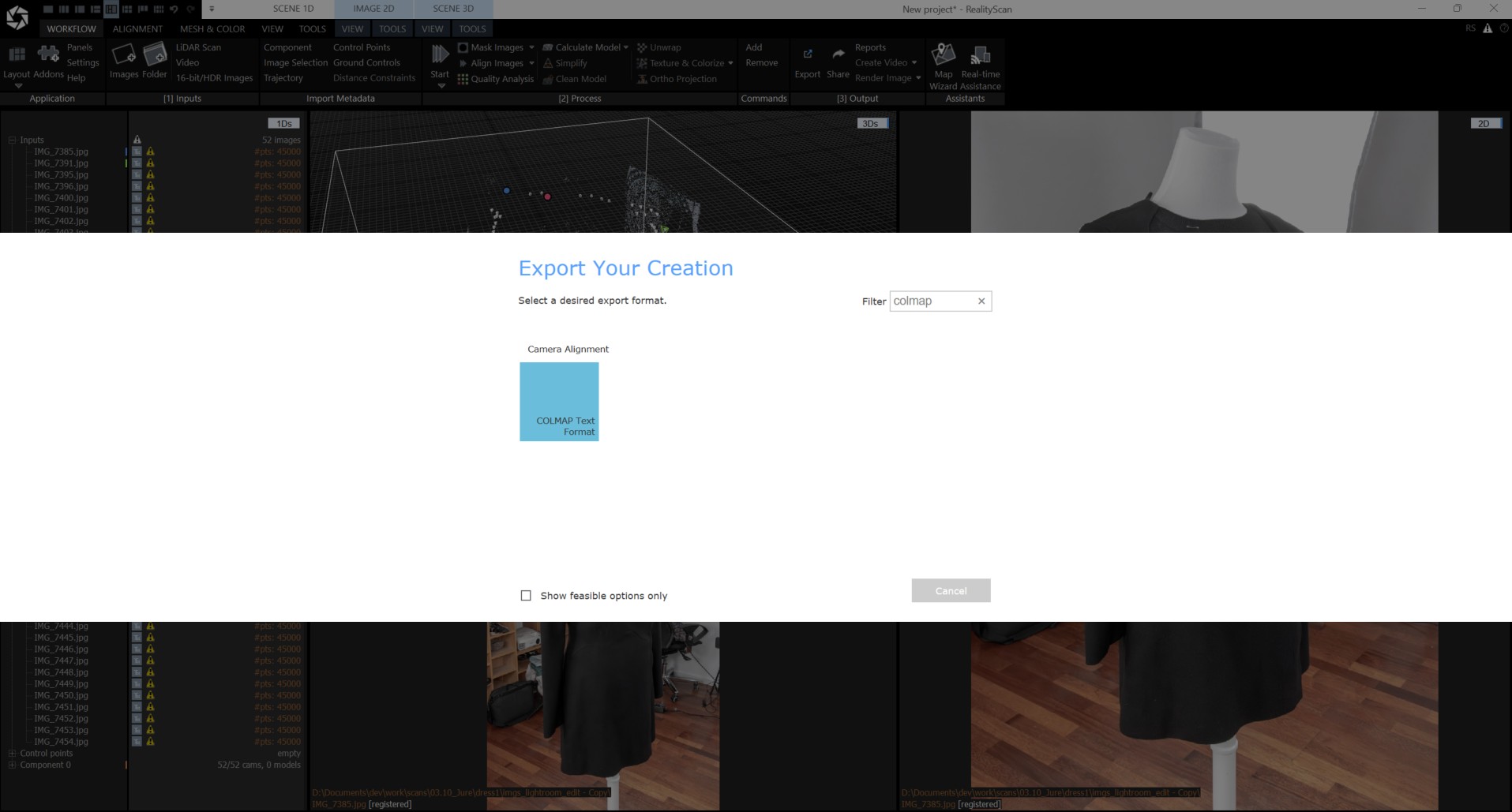
4Select COLMAP format for export.
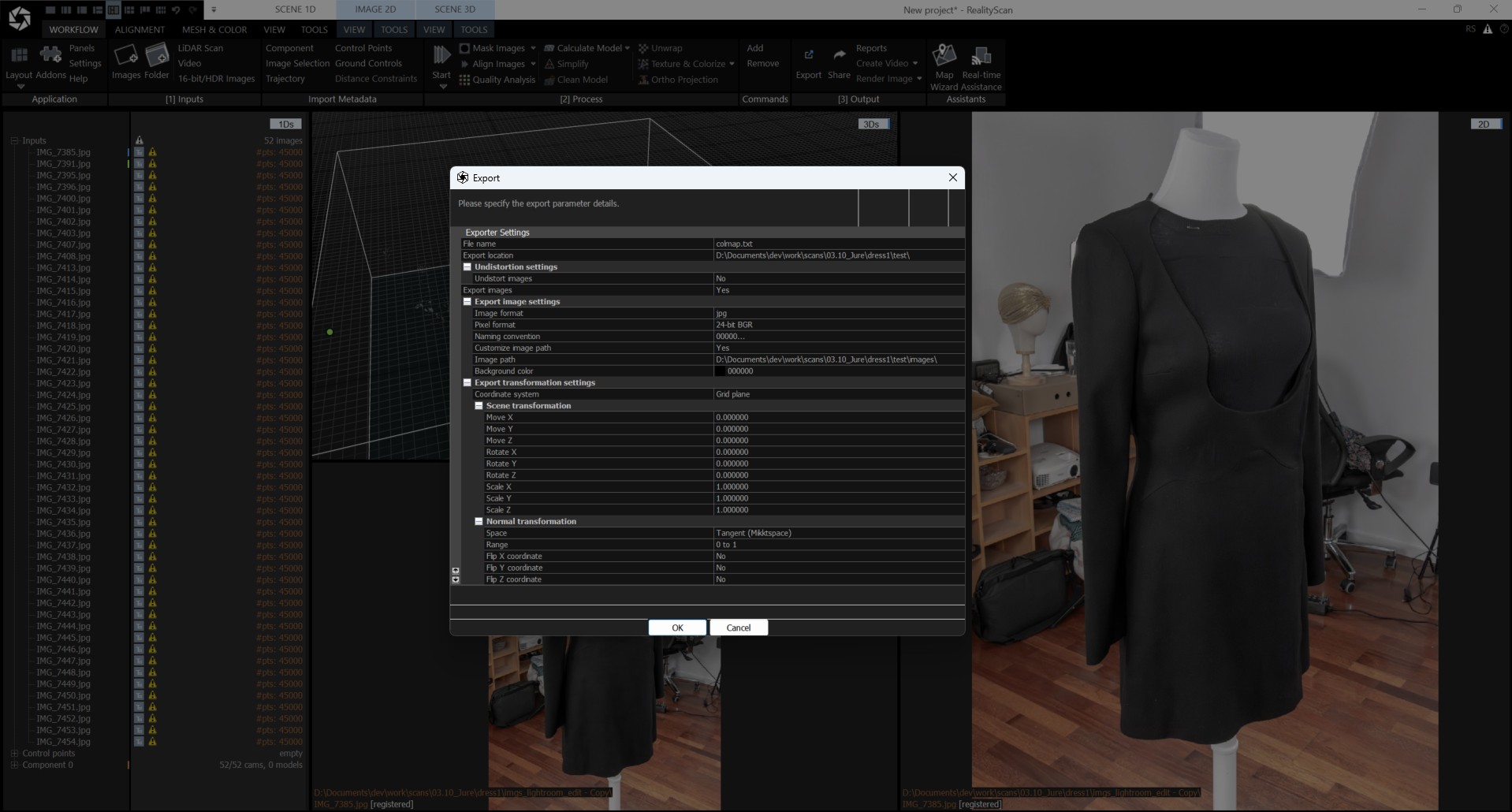
5Enable image export with a custom image path. Store the images in a subfolder named images.
Model Reconstruction
LichtFeld Studio is recommended for creating the final Gaussian Splatting model. It is free, open source, actively developed, and produces high-quality results. Core11 is a foundational sponsor of the project.
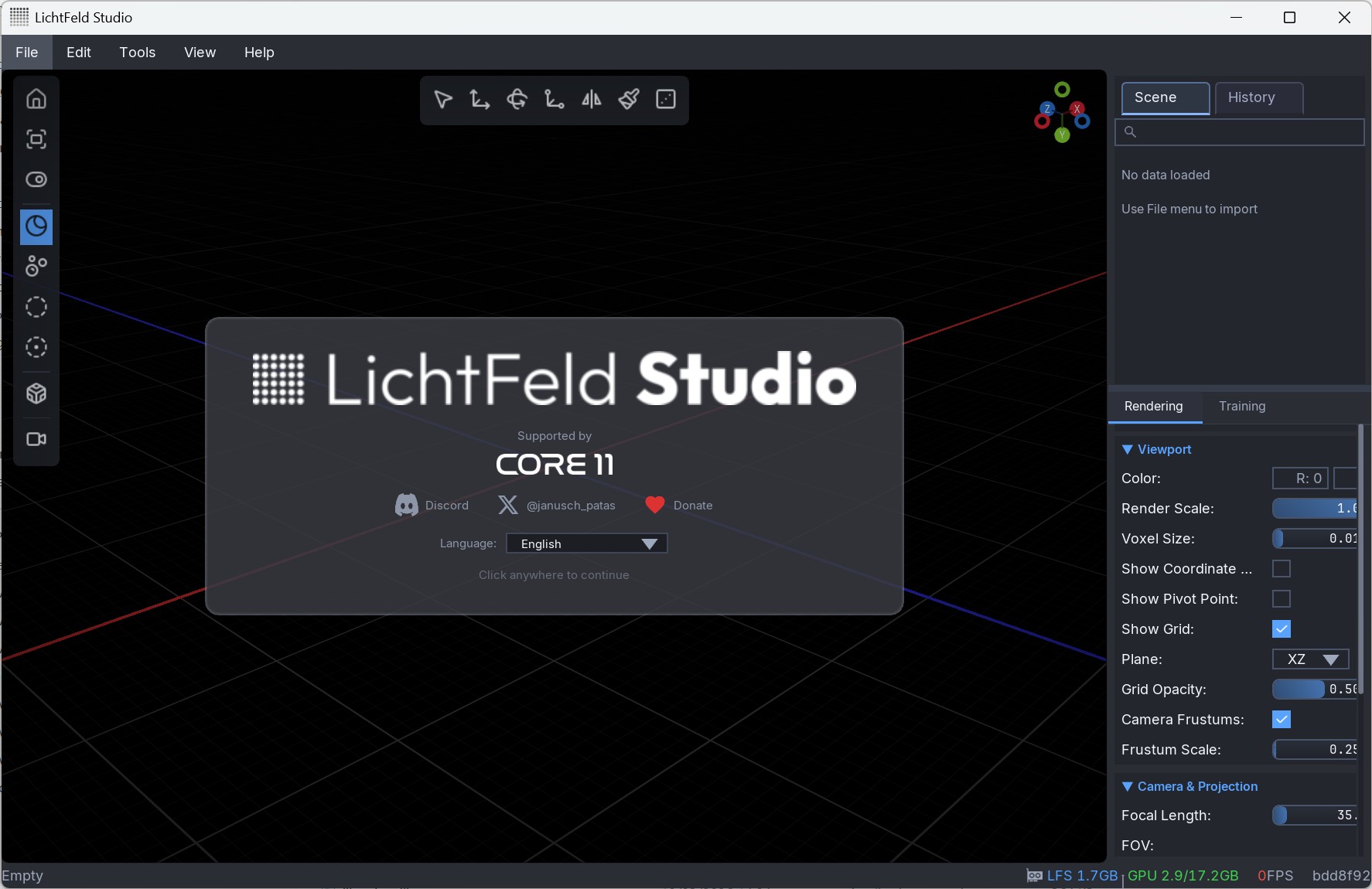
1After downloading the current version, start LichtFeld Studio.
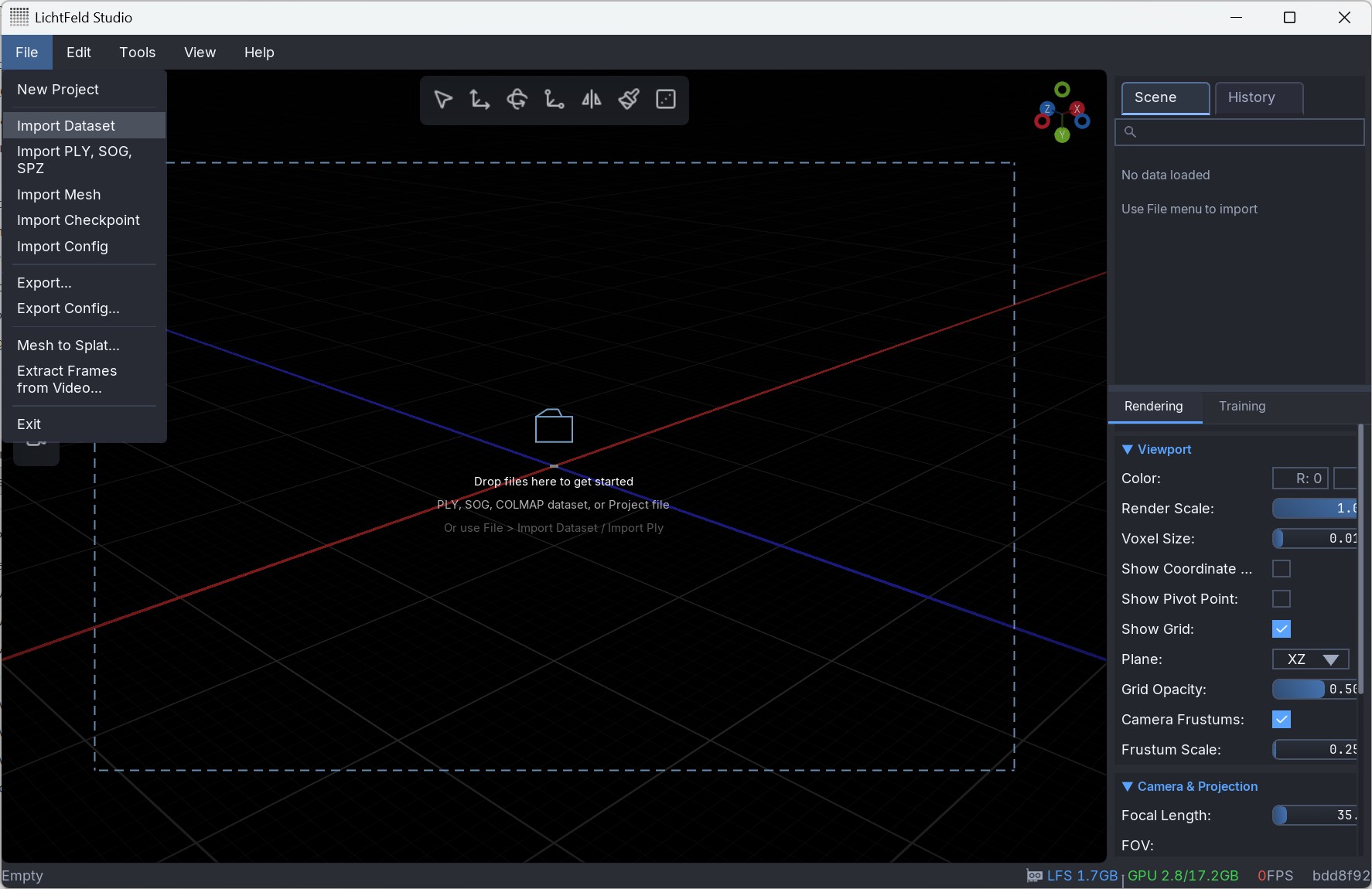
2Import the previously exported COLMAP data.
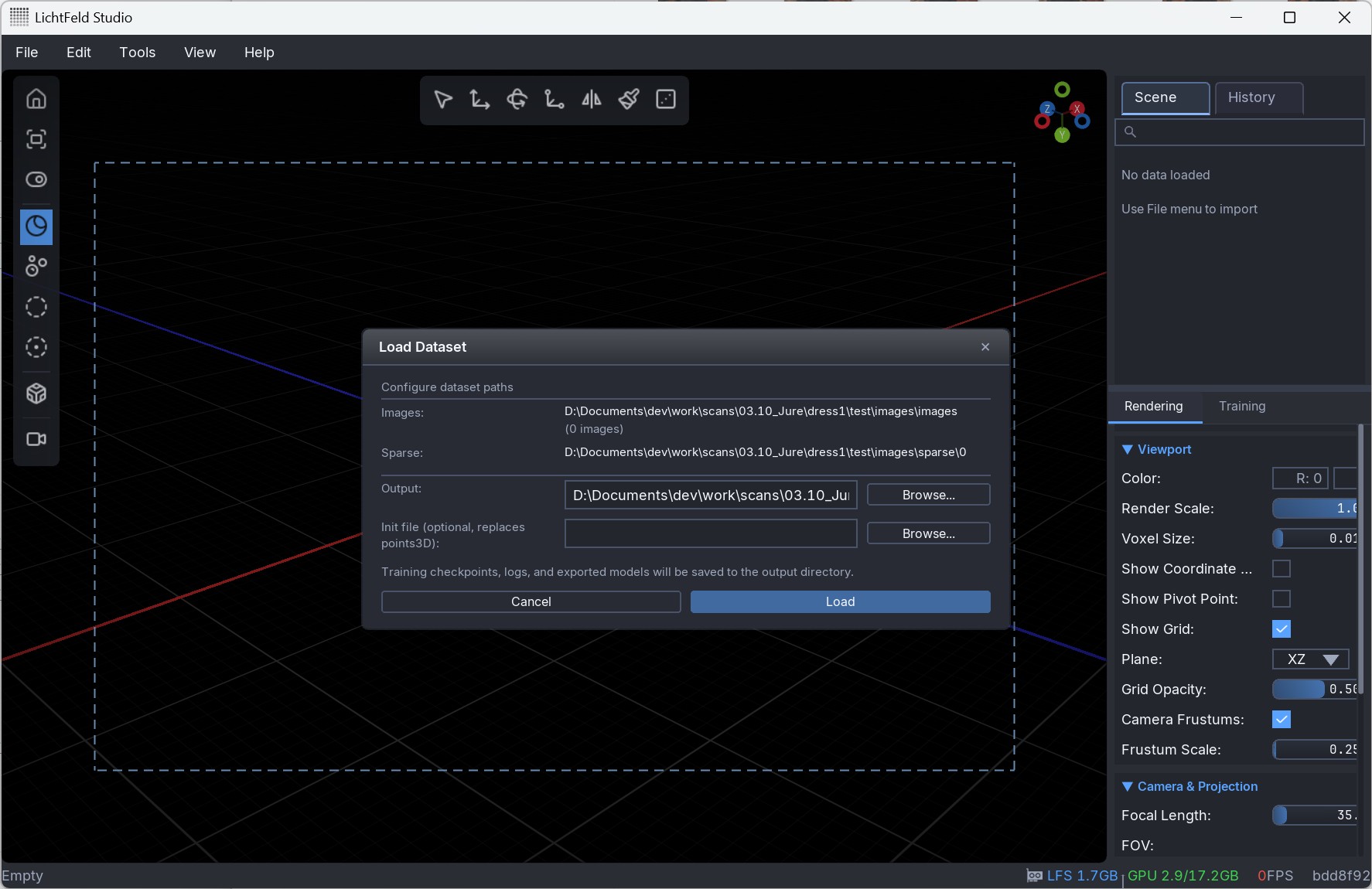
3Specify an output directory for intermediate data and the trained model.
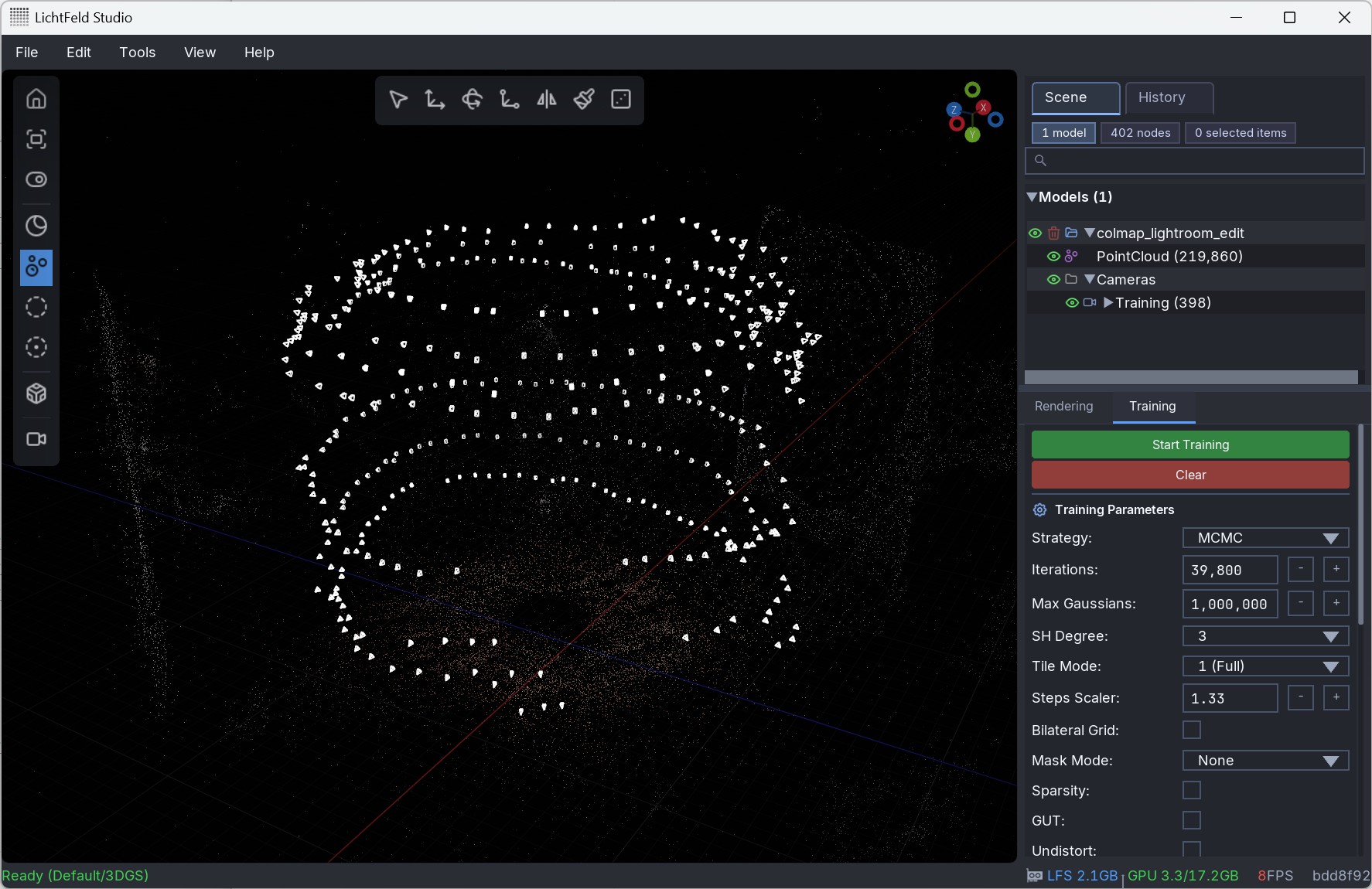
4Before training, review parameters such as the number of iterations and maximum splat count. Defaults are a good starting point, but advanced parameters help when fine structures lack detail.
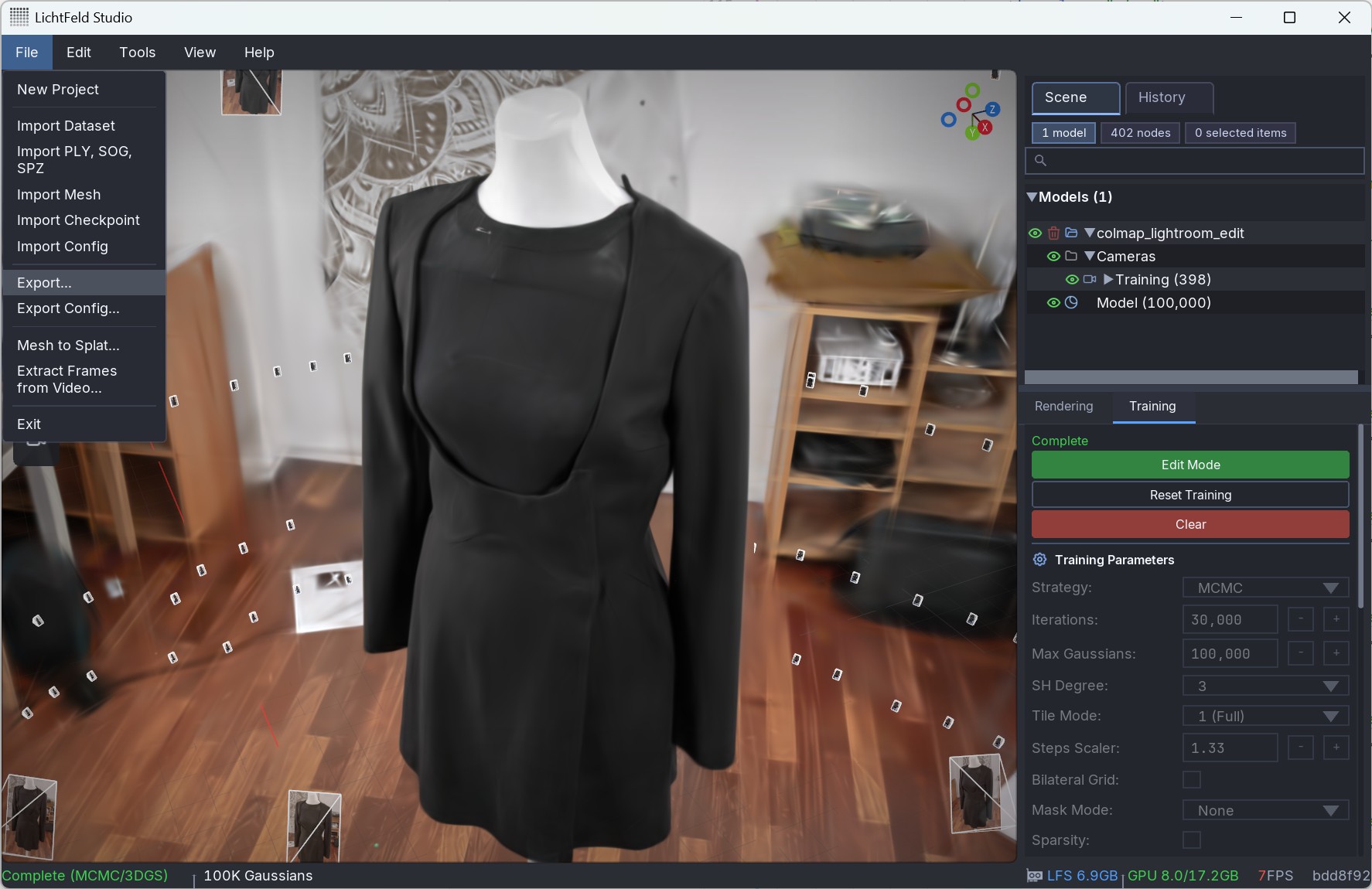
5When training is complete, export the model. If the subject is a single object, remove unwanted splats before final delivery.
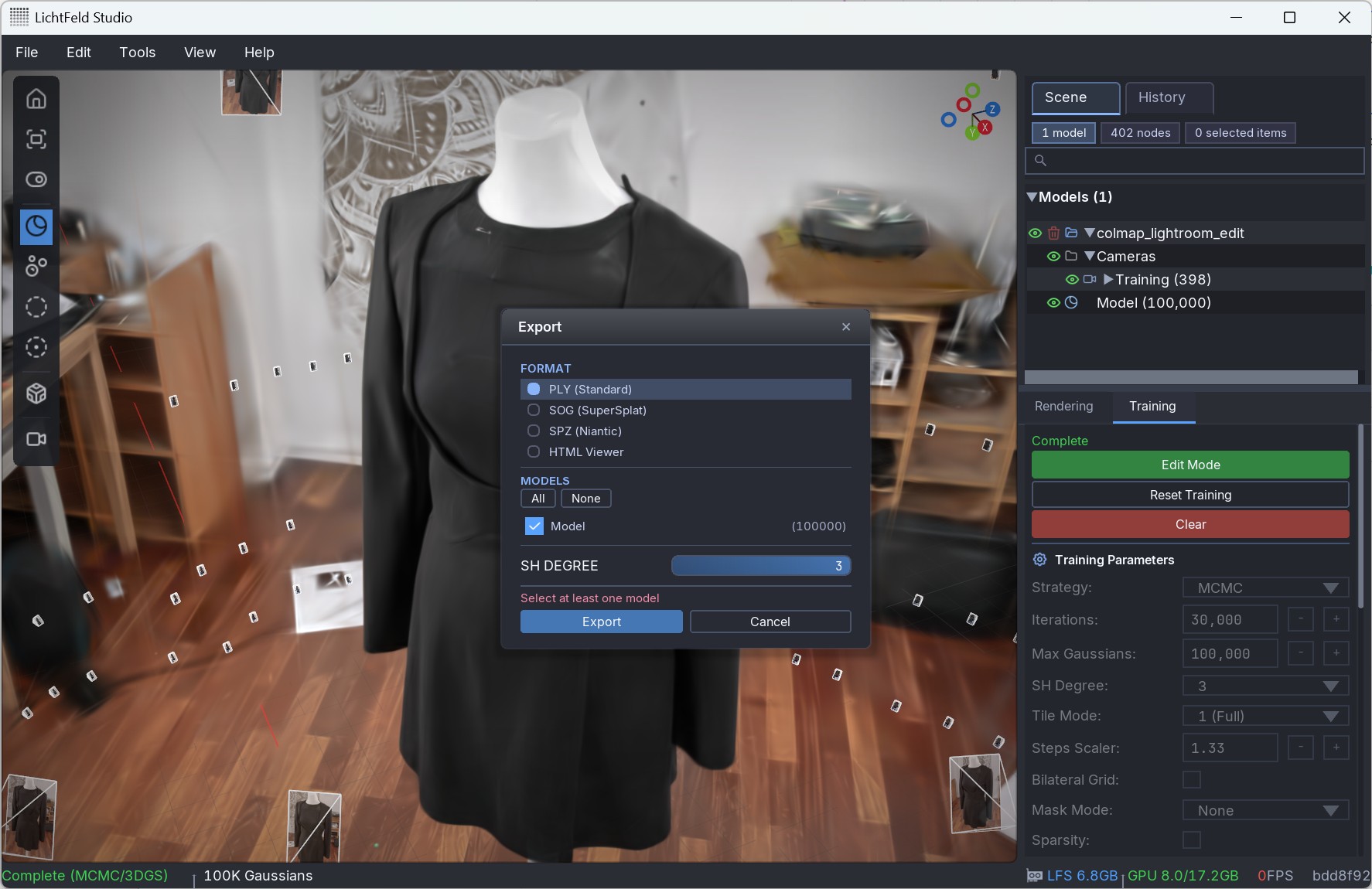
6Export in the format needed by your viewer. PLY is a common interchange format, while SOG compresses the data strongly with limited visual loss. Keep SH degree at 3 when view-dependent color should be preserved.
Manual post-processing is often required when the goal is a clean object model rather than a full scene capture.
Presentation
Depending on the use case, there are different options to present and view the final model. LichtFeld Studio itself offers a high-performance viewer by simply dragging and dropping the model into the program. There are also other options, such as our own geosplat web viewer that features VR and AR support, labels and annotations, filmic post-processing effects, and other customization options and features as requested by our clients.